


Circle 1st generation
1.71.96K Reviews
App Specs
- Version
- 2.1.15.1
- Updated On
- License
- Free
- Downloads
- 500,000+
- Developer
- Aura Sub LLC
- Categories
- Lifestyle
- Platform
- Android
Screenshots
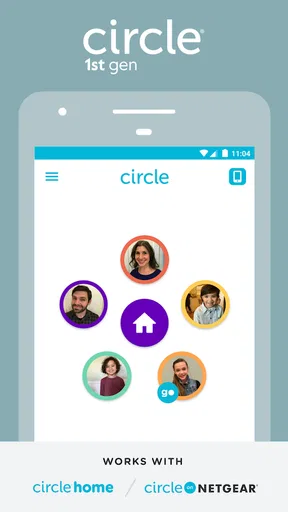
 Analysis by AppCompare
I think the most important thing to understand about Circle 1st generation is its connection to a particular piece of hardware: this Lifestyle app from Aura Sub LLC is intended to be used with Circle with Disney. That makes it quite different from a typical phone-only screen-time tool. Before downloading, I’d first check whether that device-based setup is relevant to my household; without it, the app’s purpose may not fit what I’m looking for.
Trust starts with the hardware relationship
That dependence changes how I judge the app. A family network-management setup can affect more than one person’s browsing, so the useful question is not just whether the interface looks simple, but who will be using it and how household rules will be discussed. I would introduce it as a shared tool, rather than quietly treating it as a way to monitor someone without their knowledge.
I also wouldn’t take a clean design as proof of a particular privacy or security practice. The app’s visible role is to work with Circle with Disney, but responsible decisions about sensitive information require checking the current permission prompts, account options, and privacy explanations shown during setup. I’d read those screens before connecting devices, especially if children or guests will be affected.
Check the choices before relying on them
When setting up any connected family-control product, I recommend taking a moment to identify which device or person each setting applies to. A rule intended for one child can be frustrating if it accidentally affects a shared tablet, a parent’s work device, or a guest’s connection. A quick review of device labels and household expectations can prevent a lot of avoidable arguments later.
I would also make changes in small steps. If the purpose is to reduce late-night browsing, start with that specific household goal instead of imposing several restrictions at once. Then check whether the change has the intended effect and whether anyone needs access for school, work, or another routine. This is a practical way to keep a control tool from becoming an unexplained source of conflict.
Circle has an average rating of 1.7 from around 4.3 thousand ratings, alongside roughly 2 thousand written reviews. I take that as a reason to be cautious rather than as a complete verdict: ratings can reflect different hardware, expectations, or household setups. I’d read recent feedback for recurring problems that match my own situation, then decide whether the app’s device-dependent approach is worth testing.
Using Circle in a real household
Imagine a family that wants fewer interruptions during dinner and a clearer bedtime routine. The useful first step is to agree on the goal together, then make a narrow change and see whether it helps. If a child needs a device for homework, the household should consider that routine before setting a broad limit. Controls work better when people understand the reason behind them and know how to ask for an adjustment.
Worth Reading Before You Choose

EA SPORTS FC Mobile 26 Is a Bigger Football Game, but It Takes Time

Flipboard Shows What News Apps Must Do Beyond the Feed

Switching to Android Auto Means Rethinking Your Driving Routine

Google Calendar Makes a Crowded Week Easier to Manage

Ludo King Makes the Most of the Minutes Between Plans

Baby Panda World Brings Quick Play to Modern Phones, but Its Game Library Feels Busy
This is also where the difference between a home-network tool and a phone-only app matters. Circle’s approach is tied to Circle with Disney, while many ordinary screen-time alternatives focus on settings built into an individual phone or tablet. Those built-in tools may be simpler if I only want to manage one device. A network-oriented setup may make more sense when the household specifically wants shared oversight, provided the hardware and setup suit its needs.
What I would verify before connecting devices
The app is free to download, but it includes in-app purchases ranging from $4.99 to $49.99 per item. I would check what a purchase applies to and whether it is necessary for the particular setup before paying. A free download does not automatically mean every related capability is free, and the price range alone doesn’t tell me which option a household needs.
It is rated for Everyone, and the current version is 2.1.14.1, with Android 6.0 as the minimum operating-system requirement. Those details help answer basic compatibility questions, but they do not replace checking whether the Circle with Disney hardware and the app work with the devices I actually plan to manage. I would confirm compatibility before building a household routine around it.
A useful, easily overlooked habit is to keep a simple record of the household’s intended rules: which devices are included, what the limits are meant to achieve, and who can request a change. That is not an app feature; it is a way to make any family-control setup more transparent. It also helps distinguish a technical problem from a disagreement about the rule itself.
Who is likely to find it useful?
I see the clearest fit for households that already use Circle with Disney and want to manage online access as a shared family matter. It may be useful when parents want to establish consistent boundaries across a home rather than adjust each device separately. Its appeal is less clear for someone who simply wants a personal usage summary or a quick timer on one phone.
I would skip it if I don’t have the associated hardware, if I want a standalone digital-wellbeing app, or if other household members would object to centralized controls. In those cases, built-in device settings can be a more direct choice, and a conversation about routines may be more effective than adding another layer of restriction. The right option depends on whether the problem is household-wide access or an individual habit.
My experience with the app’s approach
Have you ever felt the need to simplify your life, or at least your digital one? Well, let me introduce you to Circle 1st generation, an app that might just be the digital decluttering tool you didn’t know you needed. I’ve been diving into this app for a few weeks now, and I’ve got the scoop on what makes it tick.
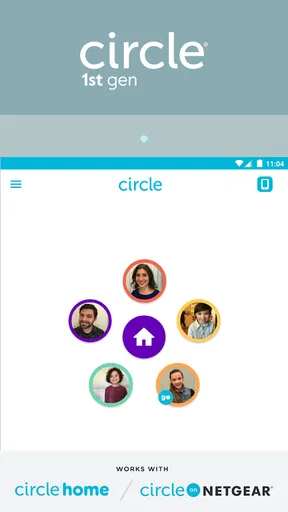
First things first, installing Circle 1st generation is a breeze. Whether you're on Android or iOS, the download and setup process is straightforward. Once you open the app, you’re greeted with a clean and intuitive interface. It's like a breath of fresh air compared to some of the cluttered apps out there.
The main goal here is to help you manage your digital life more efficiently. The app offers a suite of features designed to streamline your online activities, from tracking your screen time to filtering content. It’s kind of like having a digital assistant that doesn’t require a salary.
Features That Stand Out
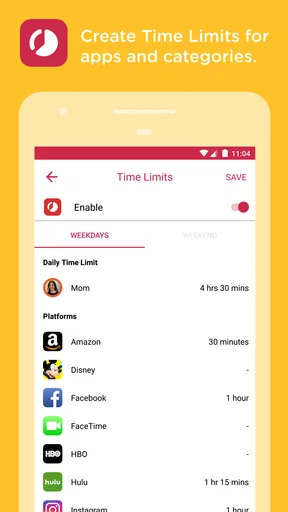
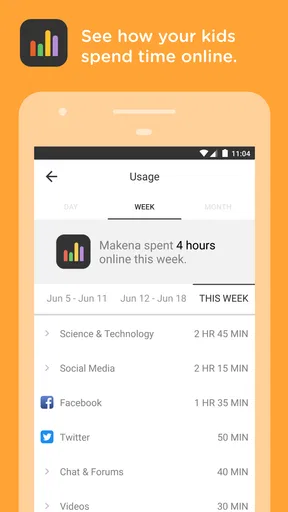
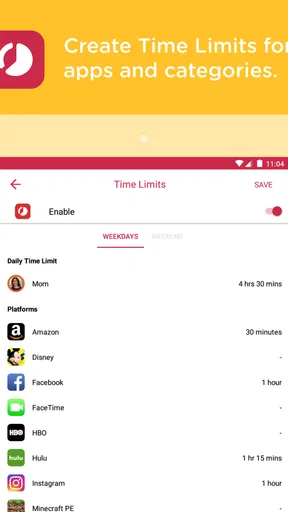
One of the big draws for me is the screen time monitoring feature. We all know we spend too much time glued to our screens, but seeing the stats laid out in a no-nonsense format was a bit of a wake-up call. You can set limits, get reminders, and even track how much time you’re spending on specific apps. It’s like having a personal trainer for your digital habits.
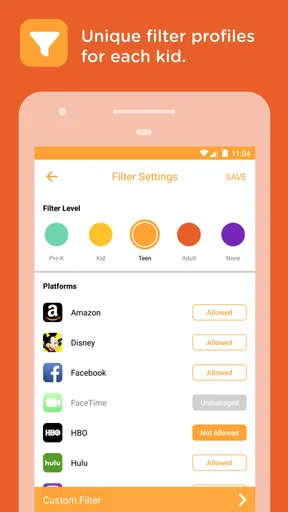
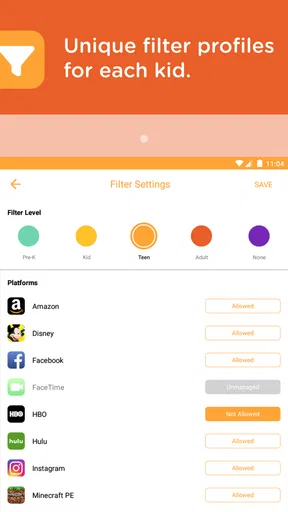
Another feature that really caught my eye is the content filtering. You can set up filters to block inappropriate content, which is a godsend if you have kids using your devices. It’s straightforward to set up and customize, so you can decide what’s appropriate for your family.
Circle also allows you to pause the internet on certain devices. Yes, you heard that right. Whether it’s to encourage a little bit of offline time or to make sure dinner conversations don’t involve checking Instagram, this feature has been a game-changer in my household.
Design and Usability
The design philosophy of Circle is simplicity and effectiveness. The user interface is uncluttered, which makes navigation a breeze. Everything is where you expect it to be, which is a rarity these days. The app runs smoothly without any noticeable lag, which is a huge plus when you’re dealing with multiple features.
Moreover, the settings are easy to adjust. Whether you’re looking to change your screen time limits or modify your content filters, everything is just a few taps away. It’s the kind of user experience that makes you feel like they’ve thought about everything, so you don’t have to.
Final Thoughts
After spending some quality time with Circle, I can honestly say it’s a handy tool for anyone looking to regain control over their digital life. The features are practical, the design is user-friendly, and the overall experience is quite satisfying. It’s not just another app to add to your digital clutter; it’s one to help reduce it.
If you’re on the fence about trying it out, I’d say go for it. With its suite of tools to help manage screen time, filter content, and even pause the internet, Circle 1st generation is worth giving a whirl. You might just find it’s the digital assistant you didn’t know you needed.
Pros
- Simple and intuitive user interface.
- Quick setup and easy configuration.
- Effective parental controls.
- Cross-platform compatibility.
- Real-time usage monitoring.
Cons
- Limited customization options.
- Occasional connectivity issues.
- Subscription required for premium features.
- Some features may be device-specific.
- Initial setup can be time-consuming.
FAQs for Circle 1st generation
What features does the Circle 1st generation app offer?
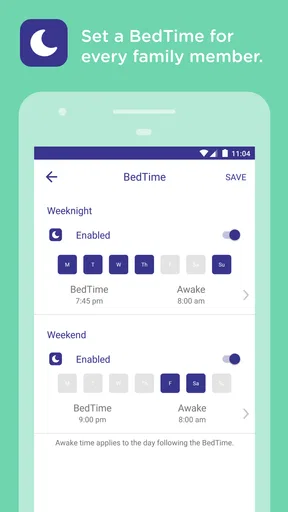
The Circle 1st generation app provides robust parental control features, including the ability to set time limits, filter content, and monitor internet usage across all connected devices. It also allows for pausing the internet, setting bedtimes, and viewing usage history. These tools help parents manage screen time and ensure a safer online environment for their children.
Is the Circle 1st generation app compatible with all devices?
The Circle 1st generation app is compatible with most routers and supports both Android and iOS devices. However, compatibility may vary depending on your specific network setup and device model. It’s important to check the app’s specifications and your device requirements to ensure seamless integration and operation.
How secure is the Circle 1st generation app?
Security is a key feature of the Circle 1st generation app. It uses advanced encryption protocols to protect user data and ensure privacy. Additionally, the app requires secure authentication measures to access its features, helping to prevent unauthorized access and maintain the integrity of your family’s internet usage data.
Are there any costs associated with using the Circle 1st generation app?
While the Circle 1st generation app itself may be free to download, it typically requires a subscription to access its full range of features. Subscription costs can vary and often include options for monthly or annual plans. It's beneficial to review the pricing details before committing to ensure it fits within your budget.
What kind of customer support is available for the Circle 1st generation app?
The Circle 1st generation app offers a range of customer support options, including a comprehensive online help center, FAQs, and user guides. For more personalized assistance, users can contact customer support via email or phone. Support availability may vary, so it’s advisable to check their official website for the most current contact information.


